Hugo
Hugo
Hugo is a static site creator which allows you to write md files and converts them to beautiful html pages.
This tutorial is about developing a static site server on you local machine. We will see how you can install hugo in you machine we will create a site, we will add a theme and we will add a post to that site.
Installation
Hugo is very easy to install and start working with it will get you writing really quickly.
brew install hugo.
This will install hugo in you machine.
Creating a site.
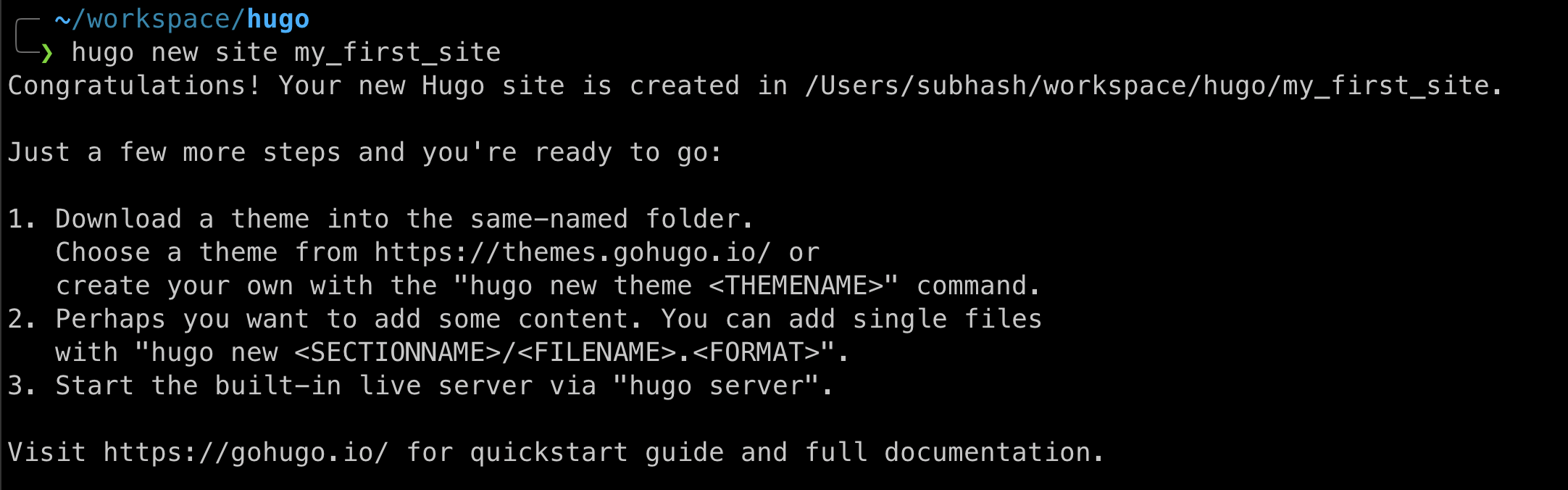
hugo new site site_name
This will create a new directory where you can add your posts and you can launch hugo server from there to see how it looks.

Add a theme
You can browse various themes here
On this page you can find various themes and you can checkout their documentation to see how you can install them. We will be using a simple git link to add a theme.
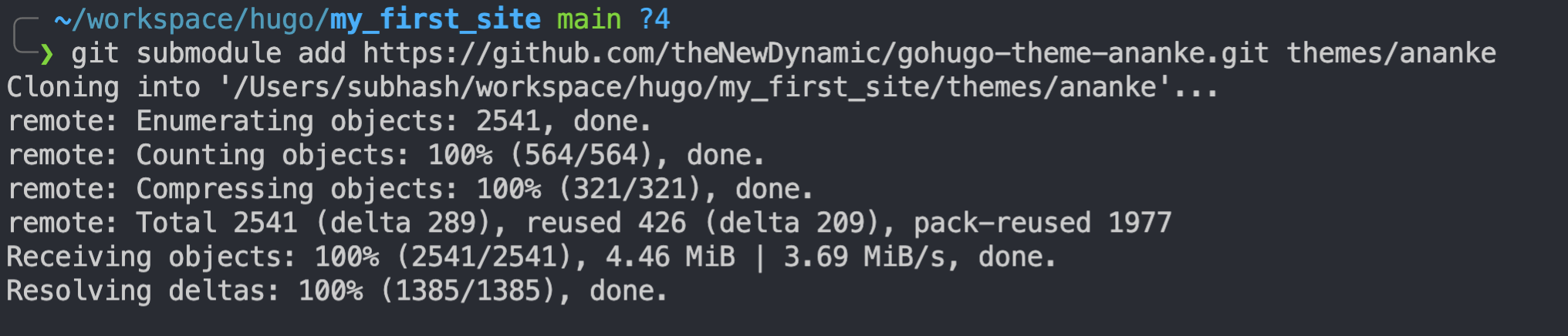
We will add ananke theme to our site.
git init
git submodule add https://github.com/theNewDynamic/gohugo-theme-ananke.git themes/ananke
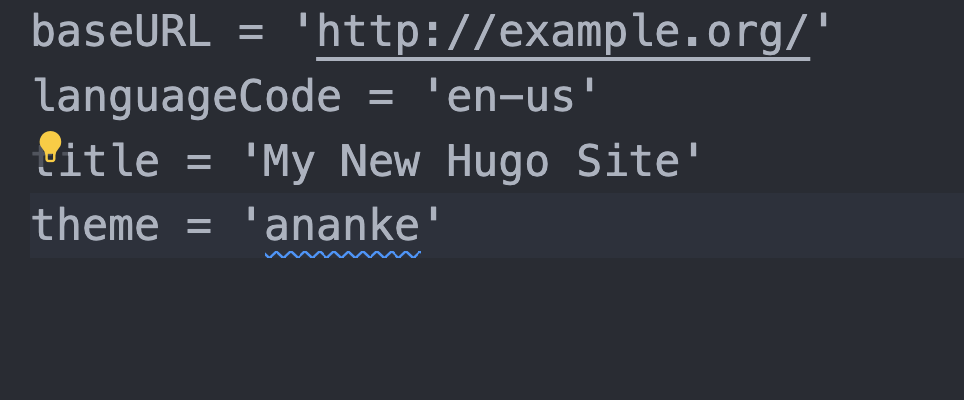
You also need to add your theme name in config.toml
Add a post
First you need to change your directories to the one that was created by hugo when you did hugo new site
There you need to run this command.
hugo new posts/post_name.md
This will create a new md file in content>posts which you can edit and add your post there.
You can add whatever you want in this file as long as it is in md format.

Start hugo server
Now you can start your server to how you site looks.
hugo server
Connecting to GitHub Pages.
Follow this tutorial to host your site in GitHub pages.